
What is the Hinge number for verification codes? A clear answer
Understand the exact Hinge verification code number and how it works, with practical steps and tips for safer online dating on SingaporeMax.

If you’re trying to log into Hinge or verify your account, you’ll want a straightforward answer about the verification code. The number used for receiving codes is part of the sign-in flow and can affect your privacy and timing. This guide explains what that number is, how it’s delivered, and what you can do to verify securely.
Next, we break down the basics: where the code comes from, what it looks like, and how long you should expect to wait before it arrives. Knowing these details helps you avoid delays or confusion when you’re trying to match or update your profile.
Finally, we cover practical choices to protect your information, avoid common hiccups, and keep your dating routine smooth. You’ll get clear steps you can take today to verify with confidence and stay mindful of security.
- Verification codes come to the phone number linked to your Hinge account and confirm you control that number.
- Delivery may vary by carrier, device, and network; a quick retry often solves most hiccups.
- Protect your code by never sharing it and use official channels for help when something looks off.
- There are safe alternatives like biometric sign-in or password recovery if you prefer different methods or encounter problems.
- Basics of verification codes
- How the code helps you stay safe
- Alternatives to standard verification flows
- Pitfalls to avoid
- Practical setup for dating apps
- Trust and communication online
- Managing notifications and privacy
- Maintaining safe matches
- Frequently asked questions
- Practical next steps for safer dating
Basics of verification codes
Origins of the code
Verification codes come from the sign-in process and are sent to the number you registered with Hinge. The system confirms you have access to that number by delivering a short code. If you don’t receive it, you can request a new code after a short wait. Hinge Receive Verification Online is the exact phrase users may search when they want to understand how verification works.
- The code is sent to the phone number linked to your Hinge account.
- Enter the code in the app to verify your sign-in.
- If it times out, request a new code after a brief pause.
- Complete the verification to access your matches and messages.
The number itself isn’t stored for display in your profile, but the delivery channel is tied to your account. This helps prevent unauthorized logins when you’re using public networks or shared devices.
In most cases, you’ll get a single-use, time-limited code that expires after a short window to minimize risk. Make sure you’re on the device where you can receive texts or calls to complete sign-in.
- Have the same phone number handy you used to sign up
- Ensure your SMS inbox isn’t full or blocked
- Check network signal before requesting a new code
- Look for delivery accuracy if you use a virtual number
- Avoid sharing codes with others
Delivery options
Most users receive codes via SMS on their mobile plan, but some carriers or devices may offer alternative methods. If an option appears, choose the channel that reliably reaches you for faster verification.
SMS is the standard route because it works across most phones and plans. Voice calls can serve when texts fail or you’re in a low-signal area.
Timing depends on carrier speed and network congestion, so a brief delay is normal. If you don’t get a code, retry after a minute and confirm the number is correct.
How the code helps you stay safe
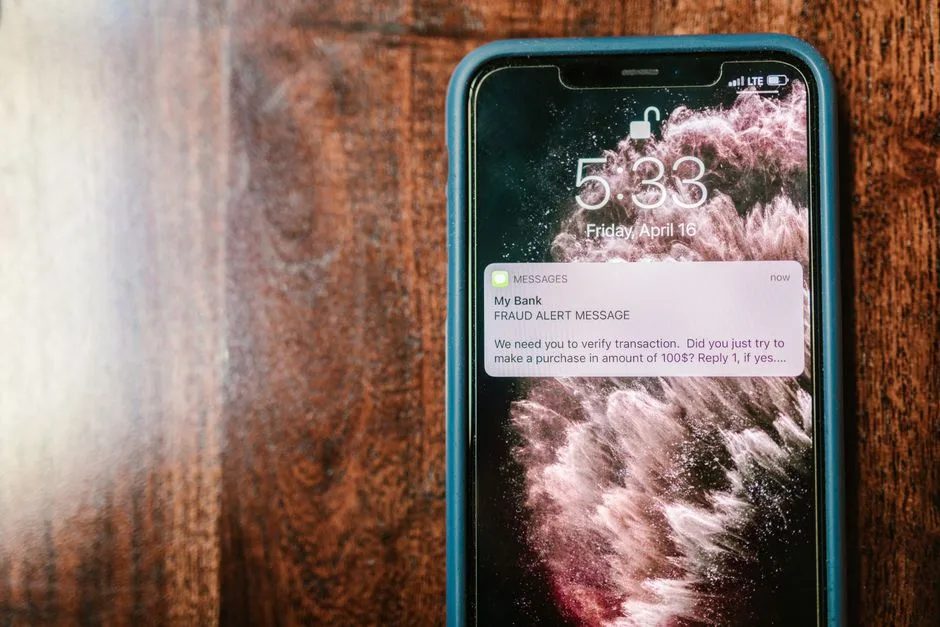
Why a code matters
The code confirms you’re the owner of the phone number tied to your account, which helps prevent someone else from taking over your profile. It adds a layer of protection beyond a password.
This two-step step reduces the chance of unauthorized access if your device is lost or stolen. It also signals the platform’s attempt to verify intent when you sign in from a new location.
If you suspect a scam, avoid sharing the code and contact support through official channels. Prompt action protects your profile integrity.
- Use a strong, unique password for your account
- Never share verification codes
- Keep your phone number updated in settings
- Enable device-lock features on your phone
- Be wary of phishing messages that request codes
Common hiccups
Delivery can fail if you have poor signal, an old app, or blocking filters on your carrier. Try refreshing the app and requesting a new code after a minute.
Some users see a delay when roaming or traveling; staying on a reliable network minimizes this. If you continue to have trouble, switch to a voice call in some cases.
Keep your notifications on so you don’t miss the message, and ensure there are no apps that intercept messages.
- Poor signal causes delays
- App needs up-to-date version
- Carrier blocks or filters may impede delivery
- Roaming can slow the process
- Notifications must be enabled
Alternatives to standard verification flows
Password resets and recovery
If you forget your credentials, use the official recovery process to regain access without exposing your code. A secure reset often involves trusted contact methods and verification steps.
- Use the exact steps shown in the app to reset credentials.
- Verify ownership through the linked email or phone number.
- Complete confirmation prompts before trying another login method.
- Maintain updated recovery details for future access.
Keep recovery options updated so you can regain control without stress. Prefer methods that require minimal personal data and avoid third-party tools.
Follow prompts exactly and avoid reusing old credentials to maintain account integrity.
- Use in-app recovery steps
- Update email and phone preferences
- Avoid reusing passwords
- Confirm recovery via trusted channels
| Method | Pros | Cons |
|---|---|---|
| SMS verification | Widely available, simple | Possible delays, carrier blocks |
| Phone call verification | Works where texts fail | Can be disruptive in quiet environments |
| Biometric sign-in | Fast and convenient | Requires compatible device and setup |
Biometric or device-based sign-in
Some devices offer biometric or device-based sign-in to reduce code friction. This can speed up access while keeping authentication strong.
If available, enable it in settings and ensure your device security is robust. Biometrics don’t replace codes but complement them for a smoother experience.
Always be mindful of shared devices; logging out after use helps prevent friends or family from accessing your account.
A single code can grant access to your account and should stay private.
Pitfalls to avoid

Sharing codes or screenshots
Never share a verification code or screenshot of it. A single code can grant access to your account and should stay private.
Screenshots can be captured by malicious apps or people on the same device, so keep the code out of sight and delete any images after use.
If a message looks suspicious, don’t act on it; instead, reach out to support using the official app.
- Never share codes
- Avoid saving screenshots
- Use official support channels
- Inspect messages for phishing cues
Over-reliance on codes
Relying solely on codes can create gaps if you’re traveling or in a low-signal area. Build a short plan that includes other verification steps or fallback methods.
Using a stable network and up-to-date app reduces risk but never substitutes good security practices.
Diversify how you verify identity to keep access reliable under different conditions.
Practical setup for dating apps
Verifying your profile details
Set up your dating app with care by completing your profile fully. Use clear photos and a concise bio that reflects your values. This makes verification feel natural and reduces ambiguity for potential matches.
Think through what information the app requires for verification and why. Double-check your phone number and email so you receive codes promptly. A steady setup prevents delays when you want to message someone new.
Consistency matters: your photos, bio, and verification steps should align with how you want to present yourself.
- Use the same photos across platforms
- Keep contact details current
- Prepare a backup email for verification
Keeping notifications manageable
Notifications should inform without interrupting the moment. Turn on alerts only for people you’ve started conversations with to avoid noise. This keeps your attention on genuine connections rather than endless pings.
Set quiet hours so responses aren’t expected at odd times. Use in-app filters to separate new matches from ongoing chats. A calm routine reduces burnout while dating.
If a notification feels off—like a message from a stranger—pause and verify the sender before replying.
- Limit alerts to active conversations
- Use quiet hours
- Review sender identity before replying
Trust and communication online

Clear boundaries in messages
Open with boundaries that feel natural, such as preferred topics and response times. Clear boundaries establish trust and reduce miscommunication.
- ☐ State your pace for replies
- ☐ Suggest a safe first meetup
- ☐ Share a basic profile overview
- ☐ Keep personal details private until trust is established
Explain your dating goals early so matches understand expectations. If you’re cautious, say so and suggest a low-pressure next step like a voice note or a coffee chat.
Respect the other person’s boundaries as well; respond within a reasonable window and acknowledge messages promptly.
- State your pace openly
- Suggest a comfortable next step
- Be respectful of boundaries
Handling verification without panic
Verification codes are a normal part of confirming a real person. If a code doesn’t come, retry after a minute and check your spam folder. Don’t rush to share sensitive data to speed things up.
Avoid sharing code details or screenshots with anyone. Verification is about confirming you are you, not proving your entire life story in one message.
If you suspect a scam, pause the conversation and use built‑in reporting tools.
- Retry once
- Check spam folder
- Do not share codes
Managing notifications and privacy
Privacy settings you can tweak
Review privacy controls to decide who can see your profile and how matches appear. Tweak visibility to minimize strangers messaging you after your profile is verified.
Limit data that apps can collect by turning off location history and ad personalization where possible. This reduces risk while you explore potential matches.
Regularly audit connected apps and revoke access if you no longer use them.
- Limit profile visibility
- Disable unnecessary data sharing
- Review connected apps
Managing who can contact you
Use the app’s filters to control who can reach out to you. Blocking and reporting are useful tools when a match turns uncomfortable or persistent.
Customize who appears in your recommendations based on your stated interests and distance. It helps prevent mismatches and needless friction.
Keep a small circle of verified matches and rotate contacts to maintain safety and freshness in conversations.
- Apply contact filters
- Block or report when needed
- Curate your match pool
Maintaining safe matches

Sifting through profiles thoughtfully
Take a few minutes to read profiles before replying. Look for concrete details that signal genuine effort and compatibility.
Ask open questions that invite specific answers rather than generic lines. This speeds up building a real connection and reduces shallow exchanges.
When something feels off, trust your instinct and step back from the conversation.
- Read profiles carefully
- Ask specific questions
- Trust instincts
Planning safe, low‑stakes first meetups
Choose a public place and let a friend know your plan. A short, low‑stakes meetup reduces risk while you assess chemistry.
Share your meetup details with someone you trust and set a time limit. If the date goes well, you can extend the plan, otherwise you can end gracefully.
Carry your own transport plans and check in after the meetup to reflect on how it went.
- Public venue
- Tell a friend
- Set a time limit
- Bring your own transport
Frequently asked questions
Is there a specific number for the verification code on Hinge?The verification code is typically a numeric one sent by the app to the phone number or email you provided. If you don’t receive it, retry after a short wait and make sure your message delivery channel is accessible. Do not share the code with anyone, and use the app’s help resources if codes repeatedly fail to arrive.
What should I do if I suspect a fake profile during verification?If a profile feels insincere or asks for unusual information, pause the conversation. Use the report function and consider disabling contact from that profile. Verification is meant to confirm identity, not to enable risky exchanges.
How can I protect my privacy while using verification features?Use a primary contact method you control, keep your number private, and avoid sharing verification details beyond what the app requires. Review privacy settings to minimize what others can see and who can contact you.
What’s the best approach to handle repeated verification prompts?If verification prompts persist, check your network, update the app, and re‑enter the verification steps carefully. If problems continue, contact support and document the steps you took so they can assist efficiently.
Practical next steps for safer dating
Take time to review and adjust your notification settings so you only receive updates that matter, keeping your focus on meaningful conversations.
For more insights on this topic, you might find Hinge Registration Code: practical steps for particularly informative.
Readers interested in this subject may also want to explore Practical overview of Hinge Worldwide OTP for additional perspectives.
For a deeper understanding of this topic, How to use Hinge European OTP offers valuable insights worth exploring.
Add Singapore News as a preferred source on Google


